Observability Lab
GRAFANA DASHBOARD
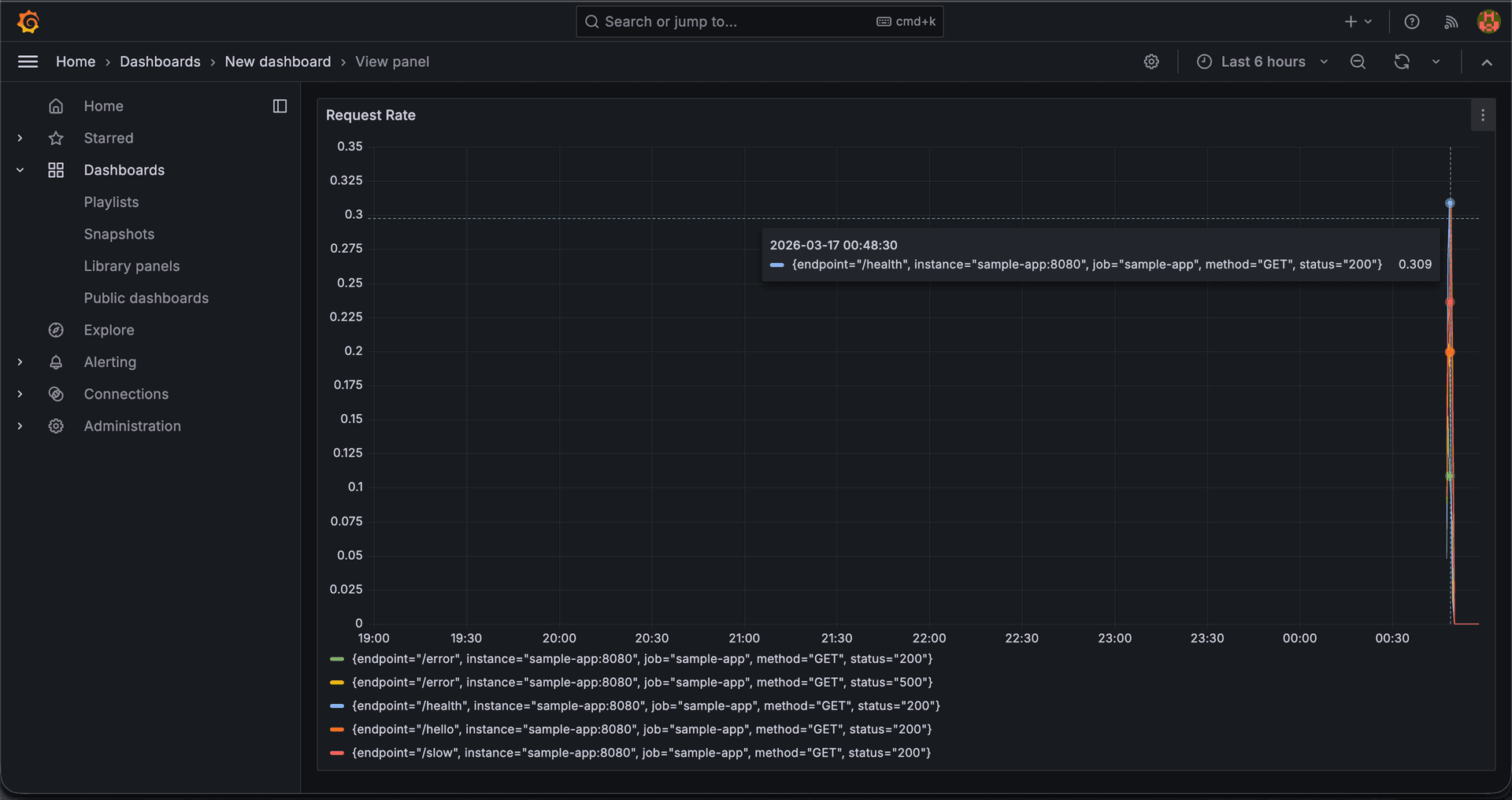
Real-time metrics dashboard with request rate, error rate, and latency percentiles
WHAT IT DOES
A complete observability stack running locally via Docker Compose. A Go service is instrumented with Prometheus metrics and structured JSON logging, feeding two parallel pipelines: metrics flow to Prometheus and Grafana for real-time dashboards, while logs flow through Logstash into Elasticsearch for querying via Kibana.
- Metrics Pipeline — Prometheus scrapes custom counters, gauges, and histograms from the Go app every 5 seconds, visualized in Grafana
- Logs Pipeline — Structured JSON logs sent via TCP to Logstash, parsed and indexed in Elasticsearch with daily rotation, queryable in Kibana
- Instrumented Endpoints — Multiple endpoints simulate real traffic patterns — variable latency, random errors, and slow responses for testing dashboards
- Traffic Generator — Bash script randomizes endpoint selection with realistic inter-request delays to generate varied data for dashboard testing
WHY I BUILT IT
I wanted hands-on experience with production observability patterns beyond just adding a metrics library. This project covers the full lifecycle: instrumenting application code with Prometheus client libraries, building Grafana dashboards with PromQL queries, setting up centralized log aggregation with the ELK stack, and understanding how metrics and logs complement each other in diagnosing production issues. It serves as both a learning environment and a reference architecture I can adapt for real projects.
TECH STACK
ARCHITECTURE
Dual-pipeline architecture — metrics (left) and logs (right) flow independently
SCREENSHOTS
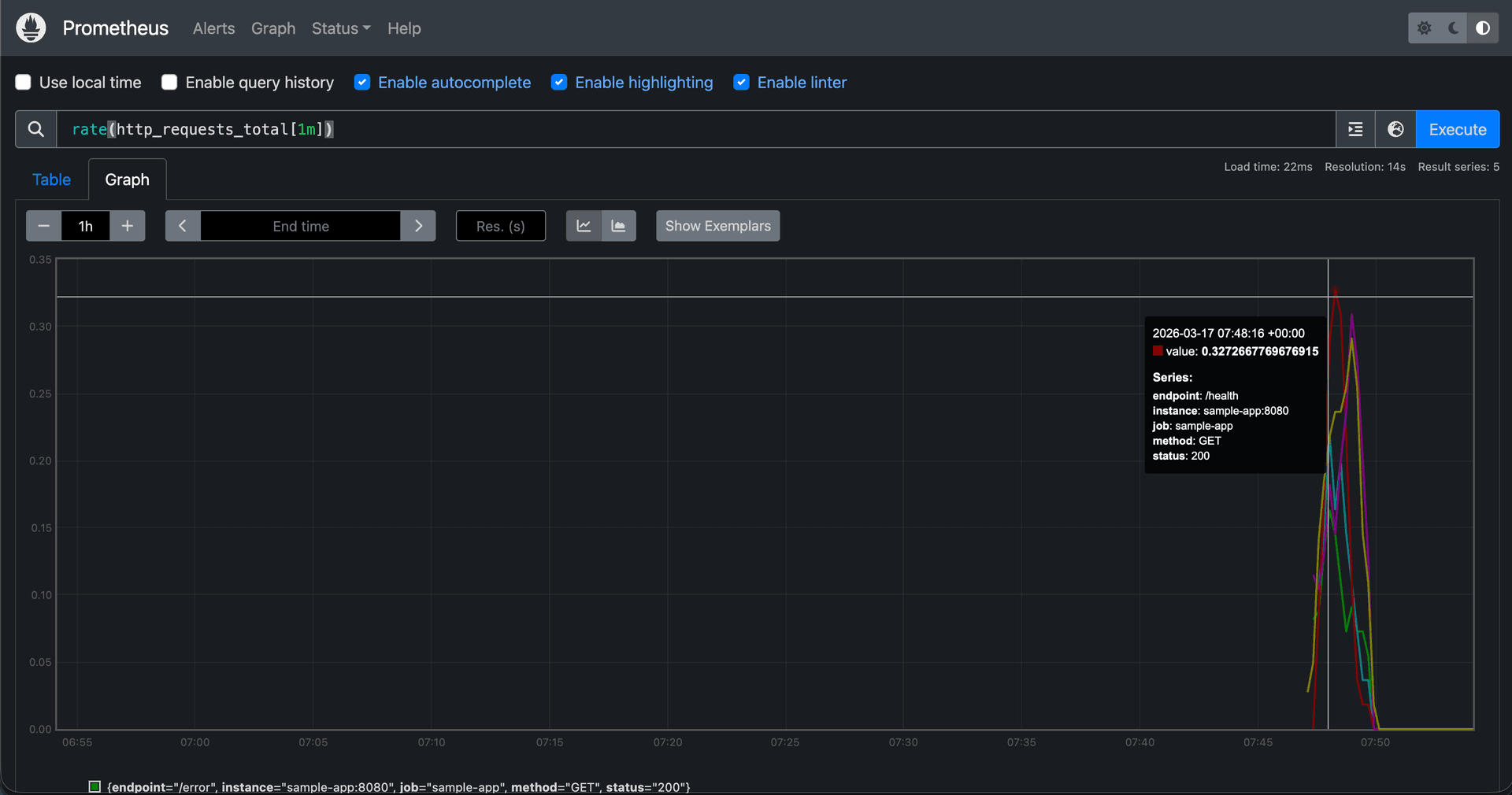
Prometheus — PromQL query execution with request rate visualization
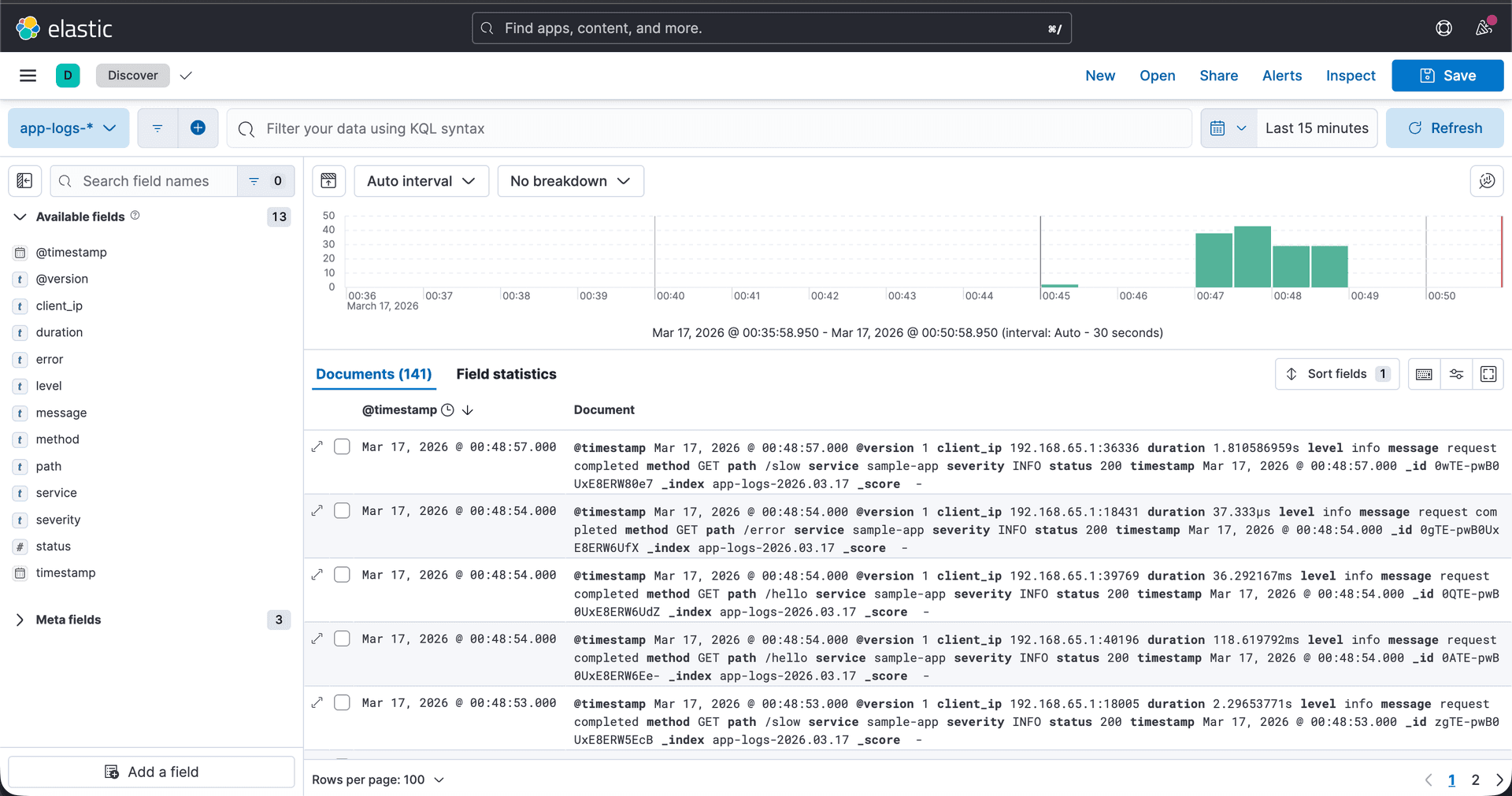
Kibana — structured log exploration with field filtering and Lucene queries
KEY CHALLENGES
Persistent TCP Connection to Logstash
The Go app maintains a persistent TCP connection to Logstash with retry logic (30 attempts, 2s intervals) to handle container startup ordering. Falls back to stdout-only logging if connection fails — a resilience pattern for production systems.
HTTP Status Code Capture
Capturing HTTP status codes for metrics requires wrapping http.ResponseWriter since the status is set via WriteHeader(), not directly accessible. The middleware intercepts WriteHeader() to record the status for both Prometheus labels and structured log entries.
Dual Output Logging
Every log entry is written to both stdout (for docker logs) and Logstash via TCP simultaneously. This ensures logs are always accessible even if the ELK pipeline is down, while still feeding the centralized system when available.
Logstash JSON Parsing & Enrichment
Logstash parses ISO8601 timestamps from app logs into Elasticsearch's @timestamp field and enriches entries with severity categorization. Daily index rotation (app-logs-YYYY.MM.dd) enables efficient log lifecycle management.
Multi-Stage Docker Build
The Go app uses a multi-stage build — compiling with CGO_ENABLED=0 in golang:1.22-alpine, then copying the static binary to a minimal alpine:3.19 image for a significantly smaller final image size.
HOW TO RUN
git clone https://github.com/moolair/observability-lab.git
cd observability-lab
docker compose up --build

# Generate sample traffic
./scripts/generate_traffic.sh
Starts all 6 services. Go App at :8080, Prometheus at :9090, Grafana at :3000, Elasticsearch at :9200, Kibana at :5601. Run the traffic script to populate dashboards with data.
FUTURE IMPROVEMENTS
- Distributed tracing with Jaeger or OpenTelemetry for end-to-end request visibility
- Alertmanager integration with Slack/webhook notifications for threshold-based alerts
- Pre-built Grafana dashboards provisioned via JSON for reproducible setups
- Add a multi-service architecture to demonstrate cross-service observability